Warning: Undefined array key "argon_user_token" in /web/www-loy/wp-content/themes/argon/functions.php on line 204

Warning: Cannot modify header information - headers already sent by (output started at /web/www-loy/wp-content/themes/argon/functions.php:204) in /web/www-loy/wp-content/themes/argon/functions.php on line 206

Warning: Undefined array key "update_themeoptions" in /web/www-loy/wp-content/themes/argon/functions.php on line 3462

Warning: Cannot modify header information - headers already sent by (output started at /web/www-loy/wp-content/themes/argon/functions.php:204) in /web/www-loy/wp-includes/feed-rss2.php on line 8
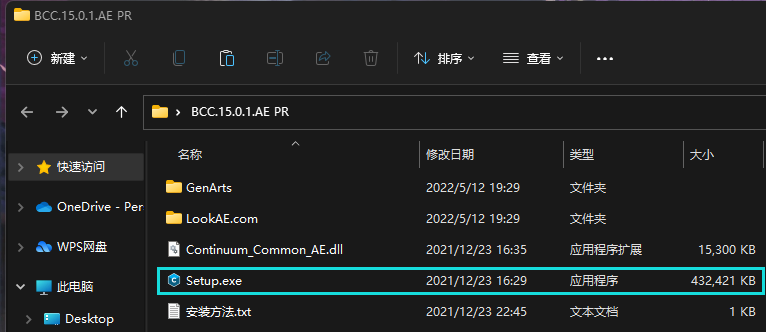
BCC插件破解 – Loyガイドサイト https://loy.life Introduction of Loy Fri, 24 Jun 2022 14:14:59 +0000 zh-Hans hourly 1 https://wordpress.org/?v=6.9 PR AE的BCC插件安装和破解教程 https://loy.life/archives/56 https://loy.life/archives/56#respond Thu, 12 May 2022 12:39:53 +0000 https://loy.life/?p=56 首先下载好BCC插件压缩包,解压之后打开”Setup.exe”

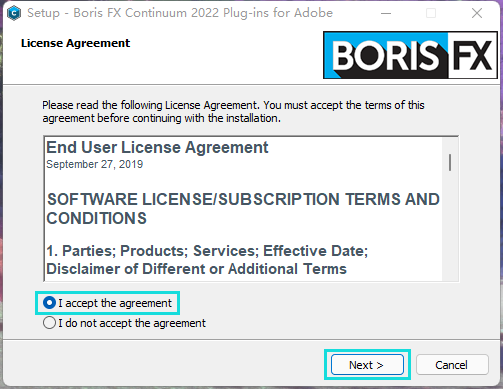
打开”Setup.exe”之后选择第一个,然后”Next”
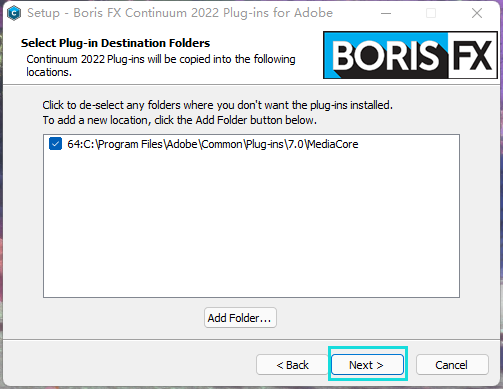
这里选择默认安装位置为C盘然后点击”Next”
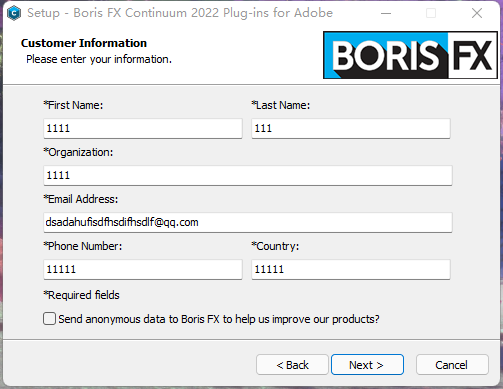
这里Email必须填正确的,其他随便乱填
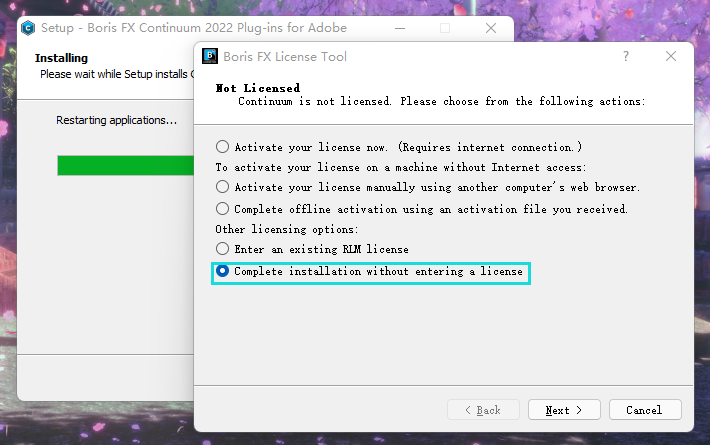
安装结束后弹窗选择最后一项”Complete installation without entering a license”
完成安装后还有一项重要的操作,那就是破解,不然添加效果时会出现打叉

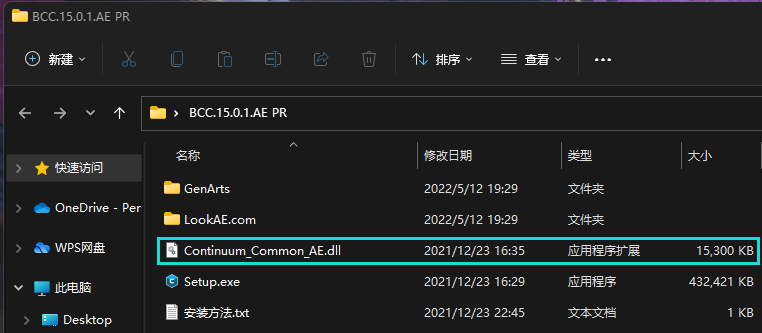
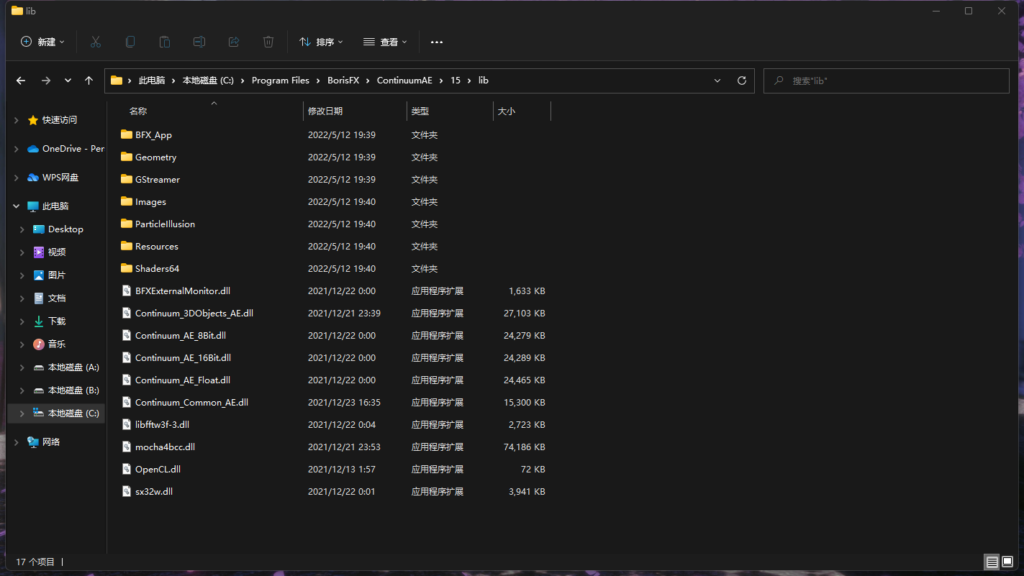
回到BCC解压出来的文件夹,复制Continuum_Common_AE.dll文件到下方目录并粘贴:

C:\Program Files\BorisFX\ContinuumAE\15\lib
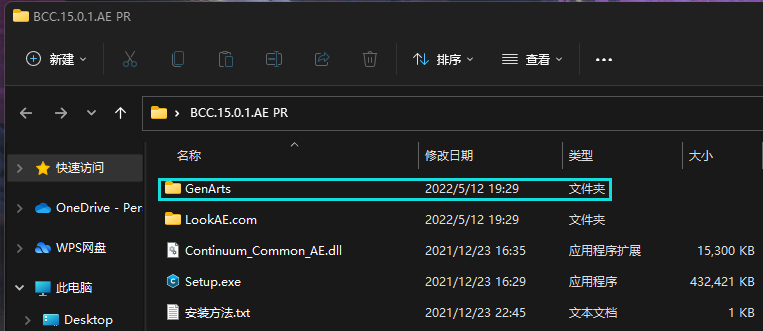
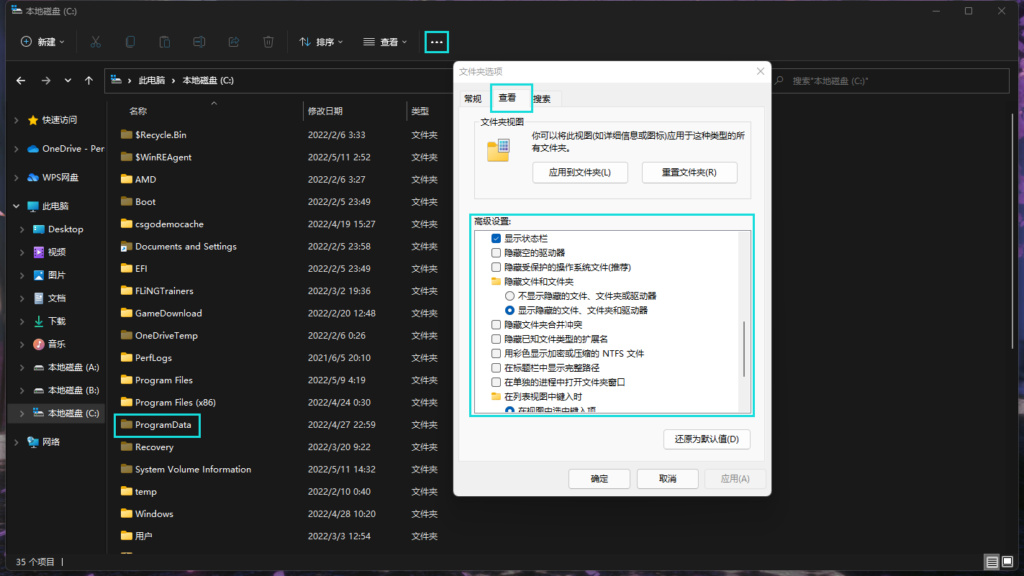
还是回到BCC解压出来的文件夹,复制GenArts文件夹到下方”隐藏”目录并粘贴(包含如何开启隐藏目录):

C:\ProgramData
以我的系统是WIN11为例子,上方三个点打开有个”选项”,点开后选择”查看”,按我这样设置即可
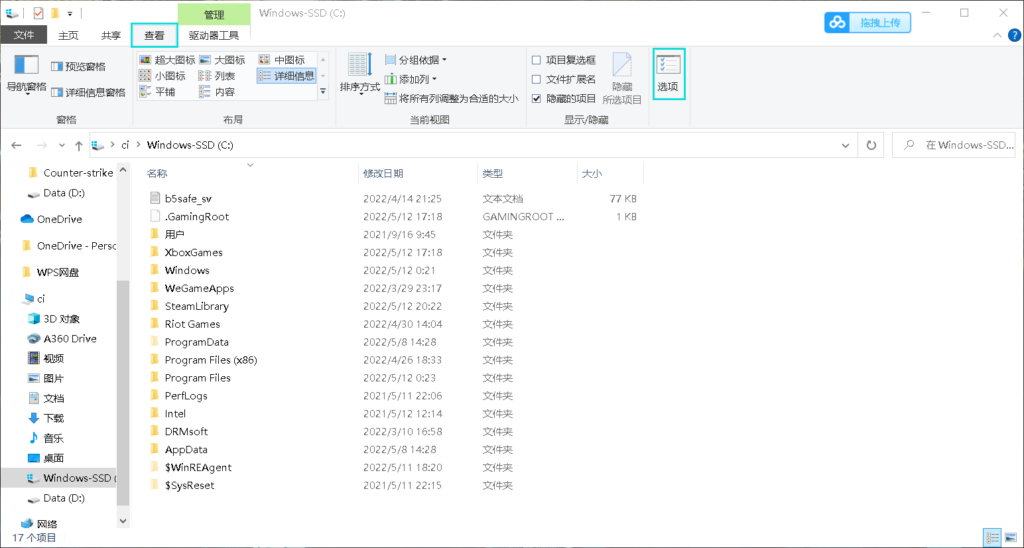
WIN10系统在上方点击”查看”选择”选项”,设置上图一样即可
打开C:\ProgramData,粘贴GenArts文件夹就完成啦

“如果还未激活,删除原来C:\ProgramData的GenArts文件夹,重新粘贴”

]]>
https://loy.life/archives/56/feed 0